Back to features
Module · 04
Vendor Contacts
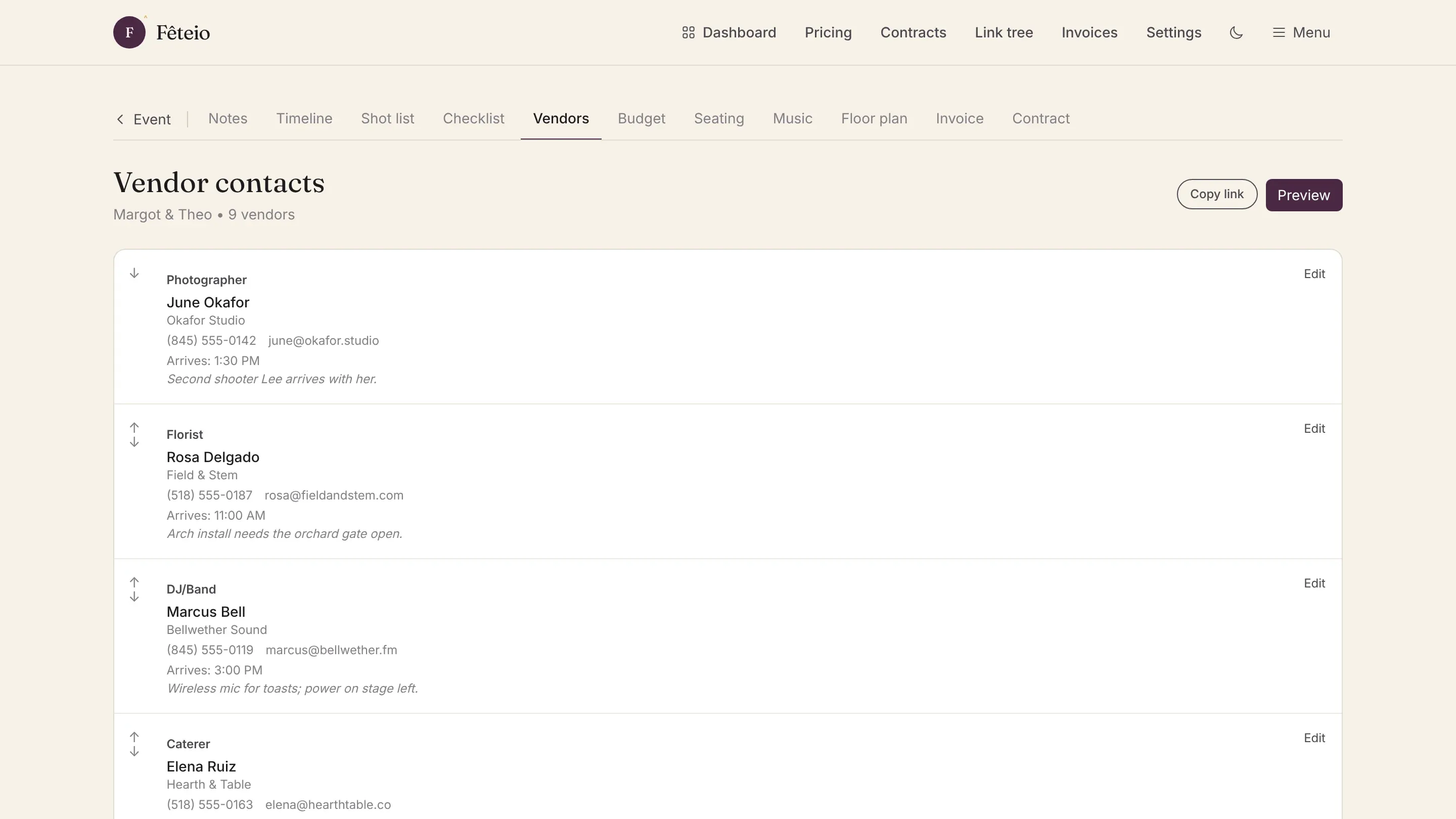
Stop digging through emails for vendor info. Keep every phone number, email, arrival time, and setup note in one place, and share tap-to-call cards with your team.
Capabilities
Key features
01
Centralized directory
Phone, email, arrival time, setup notes, and special instructions for every vendor in one view.
02
Tap-to-call cards
Share mobile-friendly contact cards. On event day, one tap connects you directly to any vendor.
03
Timeline linked
Vendors appear in your timeline with their arrival and setup times automatically synced.
04
Selective sharing
Share the full directory with your team, or send individual vendor cards to specific people.
Get started
Ready to try Vendor Contacts?
First month free. No credit card required.
Start free trial